
MaxxStick Ergo Pro
MaxxStick Ergo Pro
Move with Your Thumb, Aim with Your Mouse
Put player movement on your thumb so that you can free your fingers for optimized keybinds.
Couldn't load pickup availability
- Use your Keyboard
- Works with Most Games
- Ships from Calgary
Why Choose the Ergo Pro?
- Configure everything onboard through our web app. No software needed.
- True plug and play. No background software eating your CPU.
- Three input modes: Keyboard, DirectInput, and XInput. Works with virtually any game.
- Injection-molded construction for lasting durability.
Designed for PC Gaming
✅ Windows PC Gaming Only – Built specifically for PC gamers who demand smoother, more precise movement.
🟡 Limited Xbox Support – Works in Keyboard Mode only on Xbox Series X/S in games that support two keyboards (not recognized as a full controller).
❌ Not Compatible with PlayStation – Does not support PS4/PS5.
Is the Ergo Pro Right For You?
- Enjoy dialing in your setup and experimenting with settings
- Are open to a 1 to 3 week adjustment period while your hands adapt
- Want ongoing free firmware upgrades and new features over time
This might not be a fit if you:
- Want instant comfort on day one with no learning curve
- Do not want to touch settings
- Are not comfortable with basic computer setup steps to update firmware (drag drop files, etc.)
Share

Game Changing Stories
ERGO PRO DETAILS
Key Features
- Plug-and-Play Simplicity: No software required, just connect and play. Fully compatible with PCs and recognized as an Xbox-style controller.
- Hall Effect Technology: Enjoy smoother, more precise joystick movement with unparalleled durability that outlasts traditional designs.
- Optimized Ergonomics: The Ergo Pro's redesigned form factor brings the joystick closer to the keyboard, reducing hand travel and enhancing comfort during long sessions.
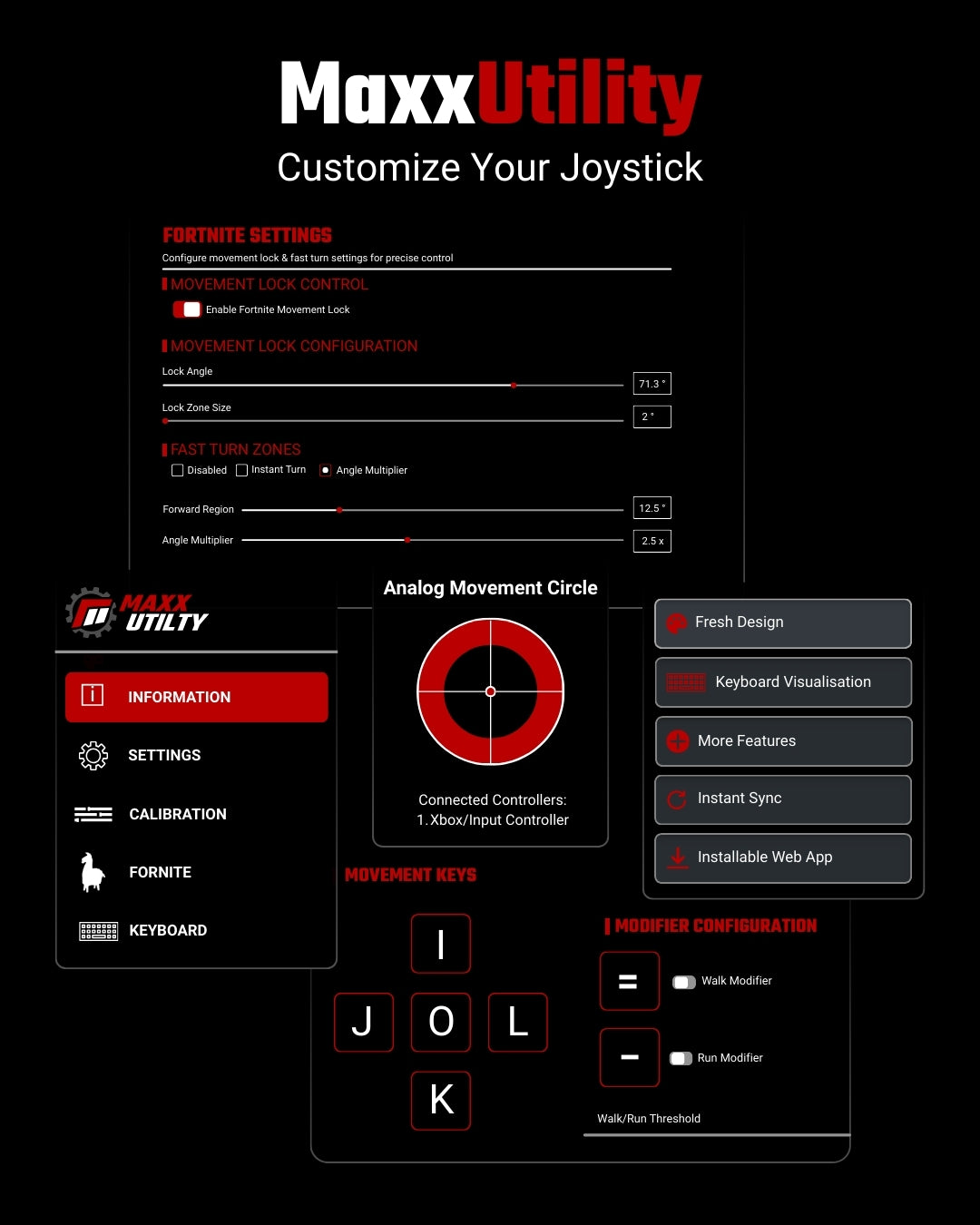
- Maxx Utility Integration: Customize your gameplay with our web-based tool—map keybinds, adjust sensitivity, and recalibrate joystick direction to match your style.
- Seamless Integration: Complements your keyboard and mouse without replacing them, preserving the advantages of your premium setup.
What's in the box?
- MaxxStick Ergo Pro Keyboard Joystick
- 6 ft. USB-A to USB-C Braided Cable
- Connection: USB 2.0 adjustable polling rate from 125Hz to 1000Hz.
Shipping Policy
Please see our Shipping Policy.
---------------------------------------
Return Policy
We offer 14-day return policy on our Keyboard joystick! Please see our Return Policy.
-
PLUG AND PLAY
-

1000 HZ POLLING RATE
-
HALL EFFECT JOYSTICK
Game Movement Refined
A Design That Flows
The Ergo Pro's all new angled design reduces thumb stretch, while ensuring effortless access to the joystick while letting your hand sit closer to the keyboard. Our keyboard joystick improves comfort and provides better access to additional keys, enabling gamers to execute complex game mechanics with ease.
Premium Hall Effect Joystick
The all-new MaxxStick Ergo Pro Keyboard Joysticks come equipped with high quality hall effect joystick modules that have been tested for durability, longevity while simultaneously designed for eliminating stick drift.
Frequently Asked Questions
The MaxxStick Keyboard Joystick is an innovative pc gaming joystick that replaces traditional WASD movement with a joystick, allowing gamers to free their fingers from clunky WASD movement controls, so they can do more complex actions in the most intense gaming moments.
While top Fortnite players use WASD, this doesn’t necessarily mean WASD is the most optimal setup. Many pro players have reached their level in spite of its limitations.
The MaxxStick Keyboard Joystick offers a significant advantage by isolating movement from other game mechanics. With WASD, the same fingers used for movement are often needed for building and editing, creating unnecessary limitations. The MaxxStick frees your fingers, allowing you to perform complex actions without interrupting movement, giving you a smoother and more efficient gameplay experience.
Yes, the MaxxStick Keyboard Joystick works flawlessly with Fortnite, offering enhanced movement controls to improve gameplay. To start playing Fortnite, go to user settings and disable “Ignore gamepad input.” Then, enable “Lock input method as mouse.” Then start claiming those crown wins.
The MaxxStick is ideal for players whose mechanics have plateaued but want to bridge the gap to pro-level mechanics. It’s also perfect for controller players transitioning to keyboard and mouse, providing a smoother experience compared to clunky WASD controls. For experienced players, it allows seamless movement while building and editing, freeing up your fingers for other actions.
Absolutely! The MaxxStick Keyboard Joystick is fully compatible with setups inspired by players like Martoz and KenBeans. With a keyboard joystick, you can free up your fingers for building, editing, and other critical actions, giving you a significant gameplay advantage.
That said, copying a pro’s keybinds should only be seen as a starting point. Every player has a unique playstyle, and the most effective keybinds are the ones tailored to your specific needs. The MaxxStick allows you to experiment and refine your setup to find what works best for you, ensuring smoother and more intuitive gameplay.
For inspiration, check out KenBeans’ Fortnite keybinds on ProSettings. Use them as a foundation and adapt them to create a setup that complements your strengths and playstyle. With the MaxxStick, you have the flexibility to optimize your controls and take your gameplay to the next level.
We offer 14-day return policy on our Keyboard joystick! Please see our Return Policy.
Yes, the MaxxStick is designed to help gamers at all levels, but it’s particularly beneficial for those who are still growing or feel they’ve plateaued. Many professional players have reached the top of their game using unoptimized setups, relying on their skills to compensate for the limitations of traditional keybinds.
Switching to the MaxxStick could improve their gameplay by freeing up their fingers for actions like building and editing. However, making this change would require an adjustment period, during which performance might temporarily dip. For players competing at the highest level, this trade-off can be difficult to justify when they’re focused on maintaining their competitive edge.
For players who are still refining their mechanics or feel stuck in their progress, adopting the MaxxStick early is a smart move. It allows you to optimize your setup from the start, building efficient habits that will support your growth as you advance toward higher levels of competition.
The MaxxStick makes achieving optimal keybinds much easier by separating movement from the rest of the game mechanics. This allows you to free up your fingers for building, editing, and other critical actions, providing a significant gameplay advantage.
To create the most optimal keybinds, start by ranking the actions you perform in the heat of battle. Assign the most important actions to your strongest fingers and progressively use weaker fingers for less frequent tasks. Avoid overloading any one finger to maintain speed and balance.
Here’s how to organize your keybinds based on primary zones:
Home Row:
These are the keys your fingers naturally rests on. Assign the most critical and frequently used actions here for quick access and minimal movement.
Easily Accessible Keys for Strong Fingers:
Use these keys for high-priority actions like building, editing, and weapon switching. Your index and middle fingers can reach them effortlessly.
Accessible Keys for Weaker Fingers:
Assign actions like crouching or inventory management to keys your pinky or ring finger can comfortably press.
Lesser Accessible Keys:
Save keys that require more stretch or effort for situational or less time-sensitive tasks, like opening the map or toggling settings.
By combining these strategies with the MaxxStick Keyboard Joystick, you can optimize your keybinds for efficiency and dominate in Fortnite.
Can the MaxxStick Keyboard Joystick help with transitioning from controller to keyboard and mouse (KBM)?
Yes! The MaxxStick makes transitioning from controller to KBM much easier by preserving the analog movement you’re already comfortable with. It bridges the gap between controller and KBM, allowing you to enjoy the precision of mouse aiming while maintaining fluid joystick movement. This means you can focus on learning keybinds and improving mechanics without struggling to adapt to WASD controls, making your transition smoother and more effective.
The MaxxStick works with a wide range of games that support keyboard and mouse input, such as Fortnite and many others. For a full list of compatible games, click here to see the games tested and supported by the MaxxStick.
Add your answer here.
The MaxxStick is not compatible with PS5 or PS4 due to Sony’s restrictions on input devices. PlayStation software does not allow the use of two keyboards simultaneously (your main keyboard and the MaxxStick in keyboard mode). This limitation, enforced by Sony, prevents the MaxxStick from working properly on these consoles.
Yes, but with limited functionality. The MaxxStick R3 and S3 can be used in keyboard mode on Xbox, which provides a D-pad style movement experience in games that support keyboard and mouse input. However, not all Xbox games allow this type of input. We have tested MaxxStick on the Xbox Series S and X, but compatibility with other Xbox models or older versions has not been confirmed. Keep in mind, some Xbox games don’t support keyboard and mouse inputs at all.